Warhounds Overwatch: Tutorial Rules and Reaction Fire
Follow the tested Overwatch activation steps in Distant Smoke, see the cone and confirmation screen, and check which reaction-fire rules remain untested.
Quick Answer
The Area Overwatch tutorial says to set up a surveillance cone and states that, by default, you can attack 1 time per turn when an enemy moves in the marked area. We captured this English instruction in the Distant Smoke tutorial on October 13, 2026, during a session showing BUILD 1.0.22(3313).
On October 15, we returned to Distant Smoke on SEASONED, confirmed MayB’s Overwatch and recorded its active status in the same displayed build. The steps below cover that successful activation. Fixed AP cost, cone dimensions, range, reaction accuracy, interruption and target priority still need isolated tests.
How we activated Overwatch in Distant Smoke
This is the mouse path that worked in our tutorial save:
- With MayB selected, click the highlighted action slot labeled [2].
- Continue past the Area Overwatch tutorial and inspect the cone preview.
- In this sequence, clicking [2] again opened the confirmation panel. Check the watched direction before confirming.
- Click the on-screen OVERWATCH button. The panel closed, OVERWATCH appeared above MayB and Crow became selected.
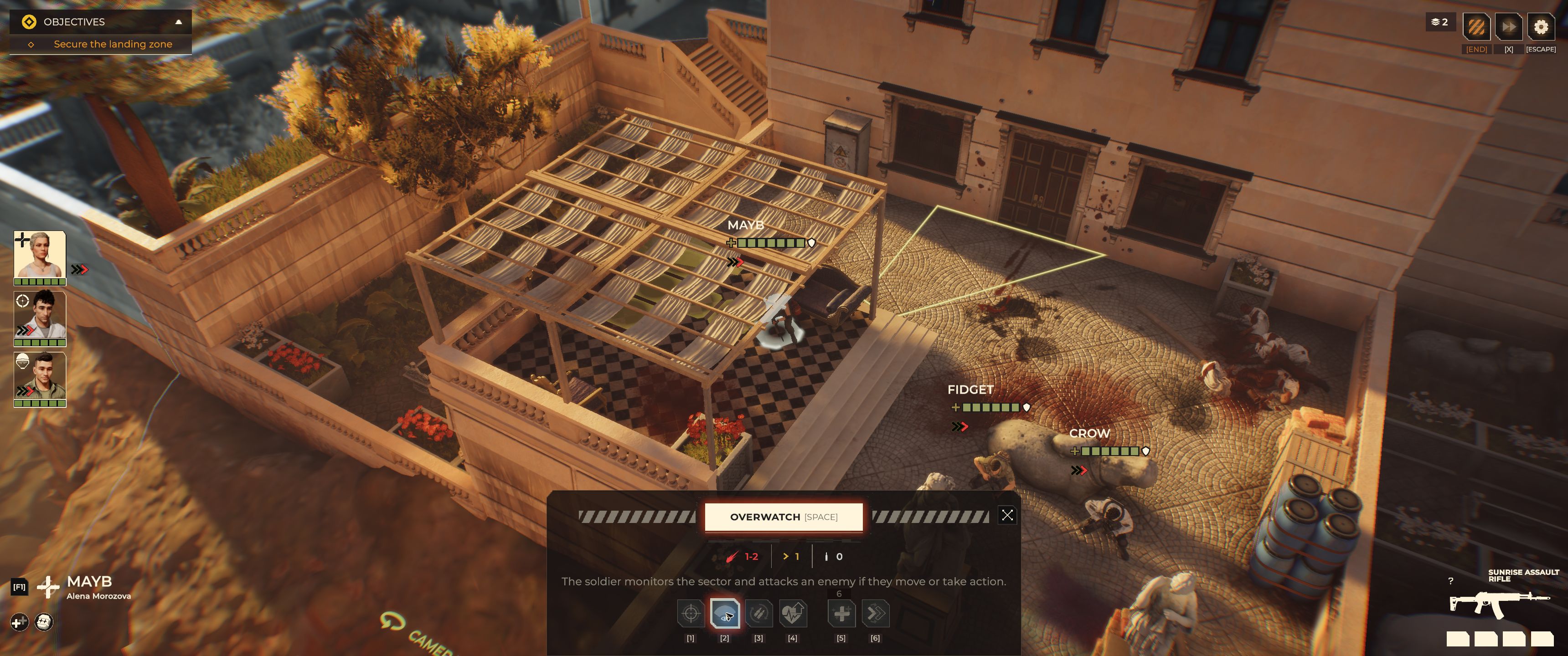
The confirmation screen before activation. Captured by Warhounds.org on October 15, 2026, BUILD 1.0.22(3313). Open the full screenshot. Warhounds imagery belongs to its respective rights holders.
Compare the cone preview with the active status after confirmation. The panel describes attacking if an enemy moves or takes action; the tutorial below mentions movement. Both are displayed instructions, not proof that we separately tested both triggers.
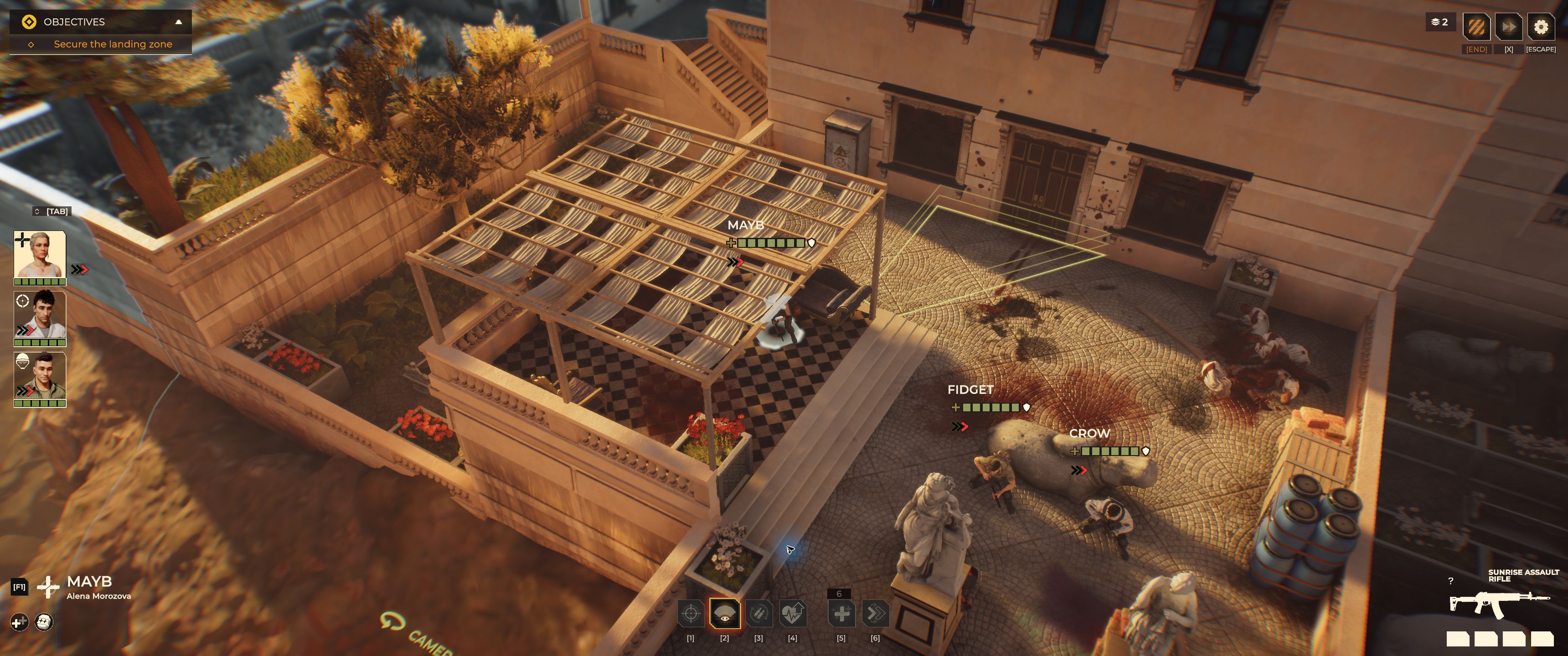
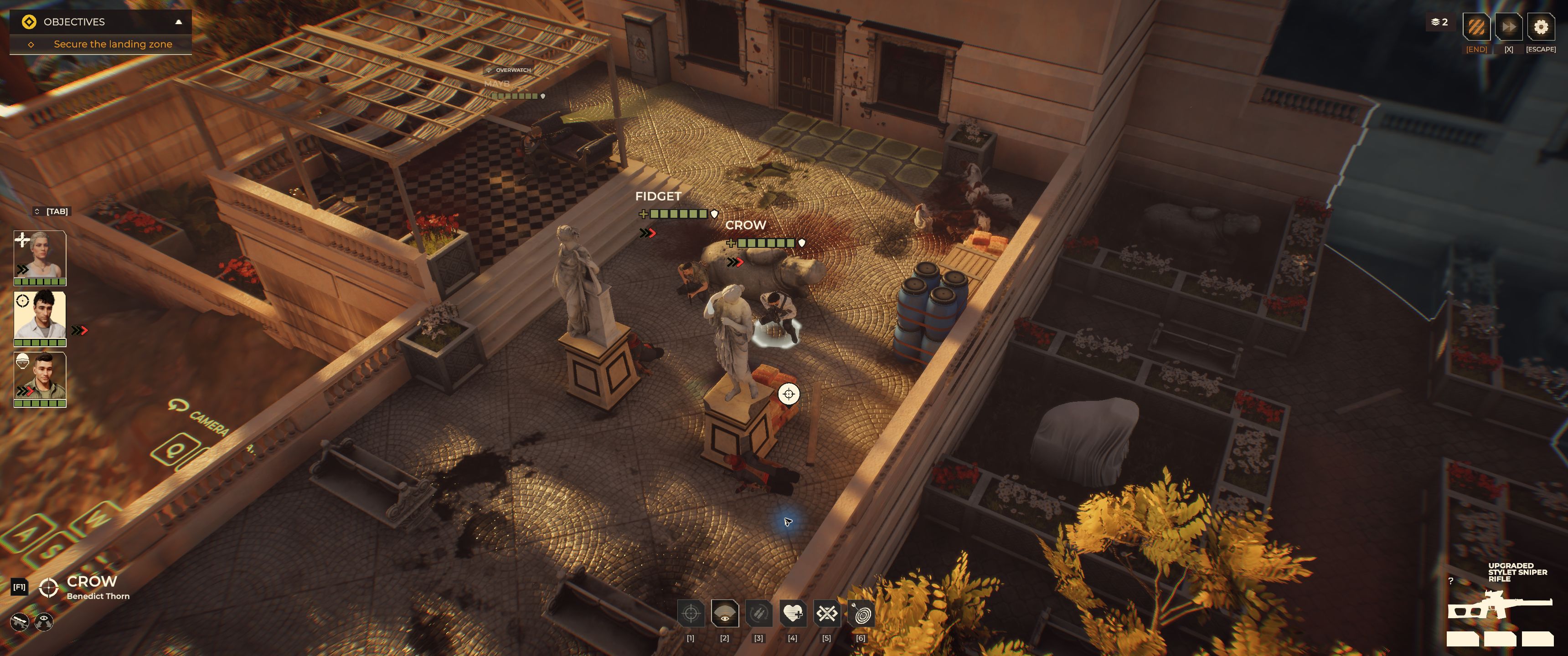
The activation record preserves the limits of this sequence: the visible [2] and [SPACE] labels are not keyboard tests, and the extra click is not a requirement established for every battle. Our attempted cancellation did not produce a verified cancelled state. Check for the active status after confirmation; a visible preview alone does not prove the stance was enabled.
Area Overwatch: the in-game tutorial
The tutorial’s full text is:
Use the Overwatch skill to set up a surveillance cone. By default, you can attack 1 time per turn when an enemy moves in the marked area.
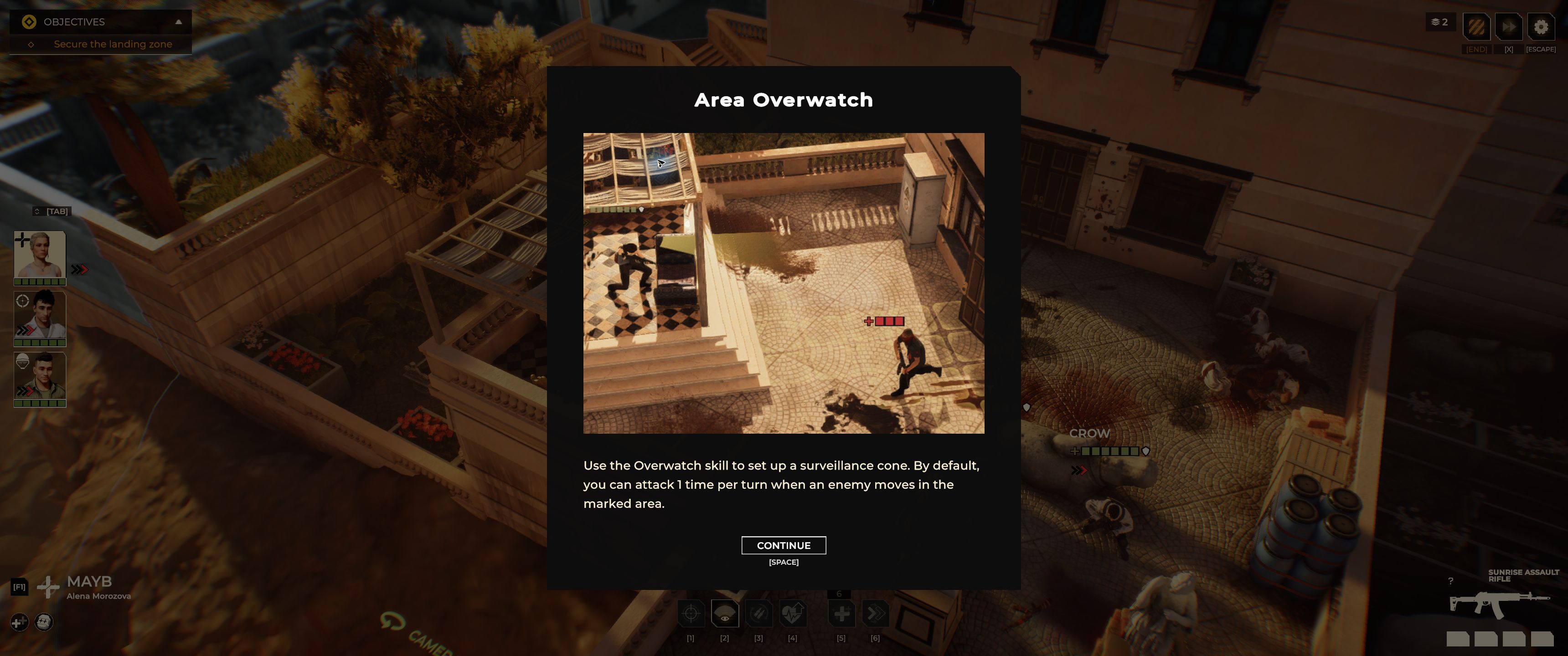
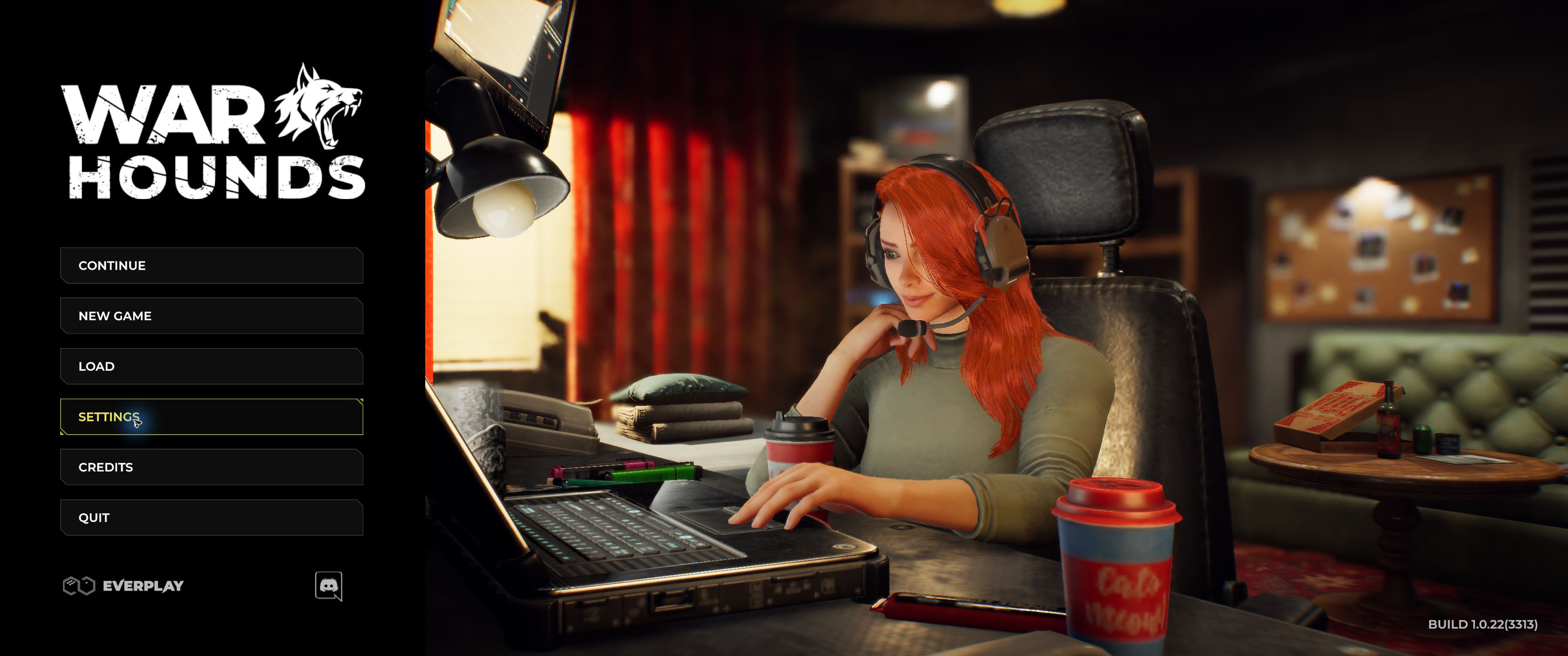
Keep by default attached to the one-attack statement: this screenshot does not enumerate exceptions. It also does not say that a stationary enemy will trigger a shot or that a successful hit will stop movement. The main-menu screenshot records the session’s build, without equating it to a named official hotfix.
Historical retail screenshot
The official press-kit image below provides earlier visual context. It is separate from our captured tutorial and has its own visible build label.
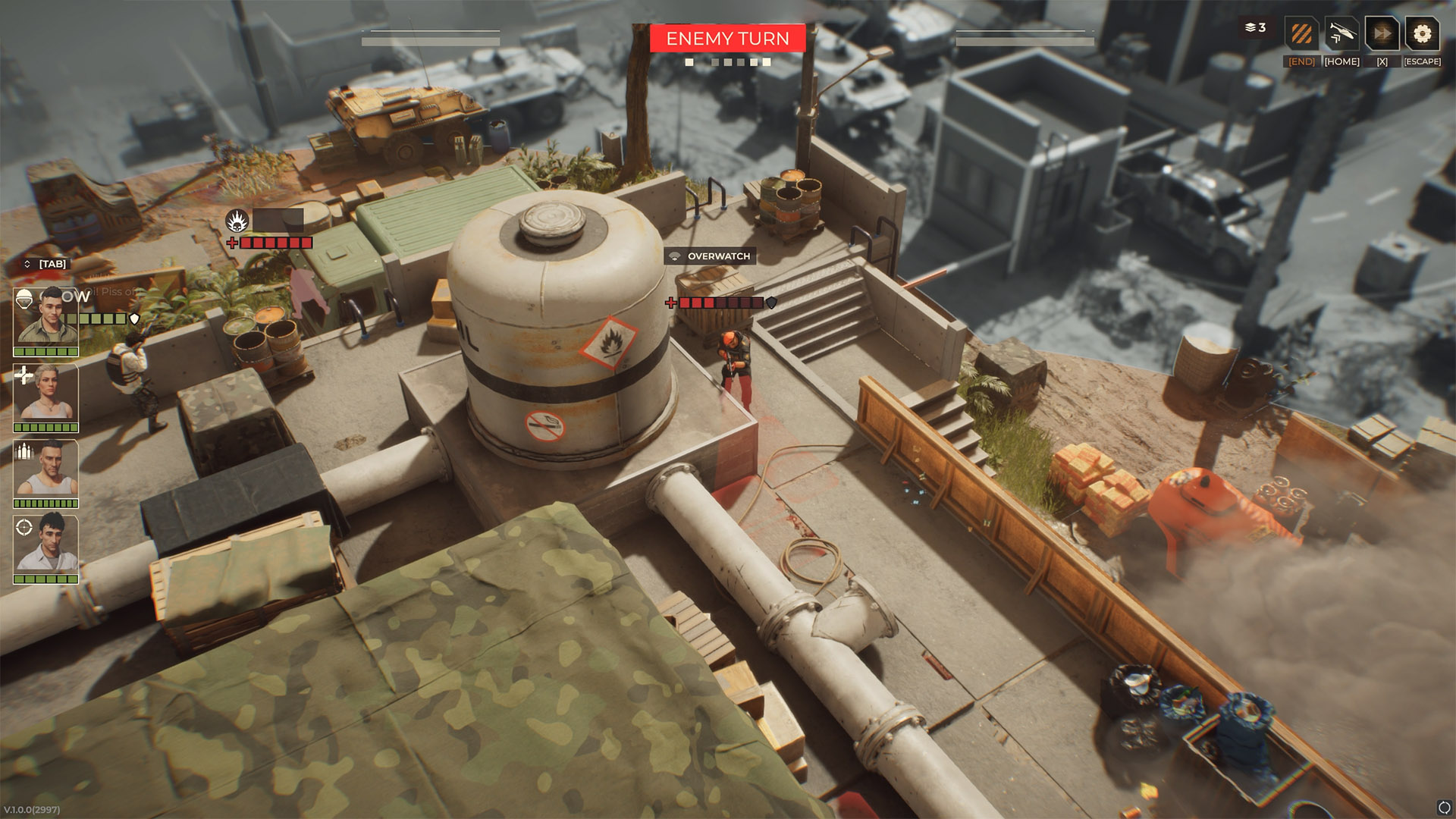
The screenshot visibly labels an Overwatch state while the enemy turn is active. It is useful for locating the command and status area, but it does not establish the exact retail trigger rules. Official press-kit screenshot, version 1.0.0 (2997). View full-size image. Image: Everplay DMCC / Brightika, Inc., via the official press kit.
Evidence status
-
Own UI capture, October 13, 2026: wh-007 gives the cone, enemy-movement condition, and default one-attack instruction. This is a tutorial description, not a combat test.
-
Own activation test, October 15, 2026: MayB’s preview, confirmation panel and subsequent OVERWATCH status are recorded. The panel also mentions an enemy taking action. This does not establish isolated reaction-fire triggers, fixed costs or successful cancellation.
-
Released 1.0: Steam explicitly advertises cone Overwatch alongside line control, probability, cover, and enemy movement.
-
Hotfix #4: The retail patch notes fix a freeze during “double Overwatch”, confirming that this situation can occur in current game logic. The patch text does not explain the mechanic, so nothing further is claimed about it here.
-
Demo-era: Action cost, cone width, range, trigger count, interruption order, and aim modifiers seen before release are not asserted as current values.
-
Roadmap: A future patch note may document or change the command; this page will need a dated update.
-
Community observation: Claims about a universal best cone placement or guaranteed interruption remain player advice until the current retail rules are tested and documented.
When reaction fire has a clear job
Use the Overwatch cone to control a likely movement lane rather than as a default way to spend a turn. It is most useful when:
- the objective requires holding space;
- an enemy is likely to leave protection;
- the operative has a clear, relevant firing lane;
- moving forward would create a worse defensive state;
- another squad member can respond if the reaction misses.
Public sources do not document an exception that makes reaction shots deterministic. Until retail testing establishes how cone Overwatch resolves an attack, plan for the possibility that a trigger does not stop the target.
Review ballistics, RNG, and line of sight before relying on a reaction shot. A cone can define the watched area while each actual shot still has a probabilistic outcome.
Check the lane before committing
Treat the watched lane as a verification problem. The retail description places cone Overwatch alongside line control and cover, but it does not document whether every normal-attack geometry rule carries over. Before relying on a cone, use the live preview to check how terrain, allies, and later cover destruction affect it.
The destructible cover and elevation guide explains how terrain changes can open or close the lane after Overwatch is set.
Before selecting the command, verify in the retail interface:
- the visible arc or eligible lane;
- the weapon and target restrictions;
- whether the operative can react more than once;
- what cancels the state;
- whether accuracy differs from a normal shot.
The tutorial supplies the default attack count. The remaining details need separate, dated UI evidence or controlled combat testing; a displayed rule and its observed execution should be recorded separately.
Avoid passive turns with no pressure
Holding a lane is useful only if the enemy has a reason to cross it. A reaction stance covering an irrelevant doorway may surrender initiative while the mission timer, escort, or capture objective moves elsewhere.
Compare three options:
- take a direct attack now;
- reposition to improve the next turn;
- reserve a reaction along a likely route.
Choose the option that helps the objective and leaves a contingency after misses.
Retail verification status
| Field | Status |
|---|---|
| Tutorial heading and description | Area Overwatch; setup uses a surveillance cone (wh-007) |
| Activation in the tutorial | MayB’s confirmation closed and OVERWATCH status appeared (pt-007 / pt-009) |
| Stated movement condition | An enemy moves in the marked area; tutorial text only (wh-007) |
| Confirmation-panel trigger wording | Enemy moves or takes action; UI description only (pt-007), both triggers not separately tested |
| Eligible weapons and target types | Not yet verified in the current retail build |
| Resource or action cost | Not yet verified in the current retail build |
| Firing arc, range, and line-of-sight rule | Not yet verified in the current retail build |
| Default attack limit | Tutorial says 1 time per turn, by default; execution and exceptions untested (wh-007) |
| Target priority | Not yet verified in the current retail build |
| Accuracy, damage, critical-hit, and graze handling | Not yet verified in the current retail build |
| Interaction with smoke, optical camouflage, and destroyed cover | Not yet verified in the current retail build |
The completed rows distinguish tutorial text from the observed activation in BUILD 1.0.22(3313). The remaining gaps prevent a full formula or a “best Overwatch build” recommendation.
Historical developer notes (pre-release)
Before the 1.0 release, the developer described the following behavior in a Steam discussion. These are pre-release design statements, not confirmed retail rules:
- most attacks do not end the turn;
- an operative can run then fire, fire then run, or fire twice;
- close-range combat has a 100% hit chance;
- cone-based Overwatch can usually be interrupted by shooting the overwatcher.
Current retail verification: pending.
Frequently asked questions
Is Overwatch confirmed by the Steam store description?
Yes. The current Steam page explicitly promotes cone Overwatch. It does not document every cost, trigger, accuracy modifier, or interruption rule, so check the current in-game tooltip for those details.
How often can Overwatch attack?
The captured tutorial says 1 time per turn, by default, when an enemy moves in the marked area. It does not enumerate exceptions, and we have not tested the attack count in combat.
Does a reaction shot always stop movement?
This page does not claim an interruption rule without retail evidence. A hit, miss, and movement stop are separate questions.
Is reaction fire deterministic?
This capture does not establish that. The tutorial describes when a reaction can occur but gives no hit probability or guaranteed-hit rule. A trigger, a hit, and a movement interruption are separate things to test.
Sources & Verification
- Primary source — currentWarhounds on SteamSteam / Warhounds · Checked September 28, 2026
- Primary source — currentWarhounds Hotfix #4Steam / Warhounds · Checked August 20, 2026
- Official — historicalWarhounds Steam developer discussion — core mechanics / permadeathWarhounds developer on Steam · Checked August 18, 2026
- Official — historicalWarhounds official press kit and downloadable media assetsgame.press / Brightika, Inc. / Everplay DMCC · Checked September 15, 2026
- Primary source — currentFirst-hand capture: game build 1.0.22(3313) (wh-025)Warhounds.org — own gameplay capture · Checked October 13, 2026
- Primary source — currentFirst-hand capture: Area Overwatch tutorial (wh-007)Warhounds.org — own gameplay capture · Checked October 13, 2026
- Primary source — currentFirst-hand session: BUILD 1.0.22(3313), October 15, 2026Warhounds.org — own gameplay capture · Checked October 15, 2026
- Primary source — currentFirst-hand test: MayB Overwatch: tutorial preview and confirmed activationWarhounds.org — own gameplay capture · Checked October 15, 2026